
you can easily link your mobile number to MSEDCL via official website.
step 1 :- Go to the official mSEDCL (Mahavitaran) Consumer Contact Update page. click here
step 2 :- Select consumer type (LT/LTIP) Or (HT) and enter consumer number, fill CAPTCHA and proceed
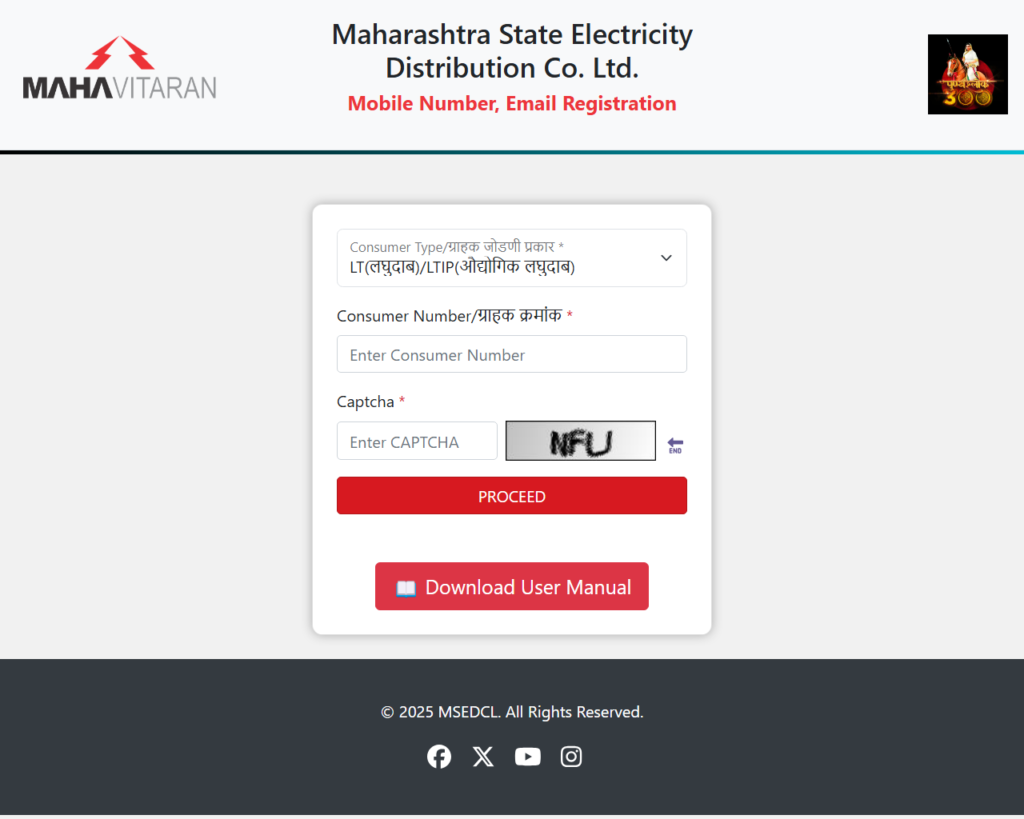
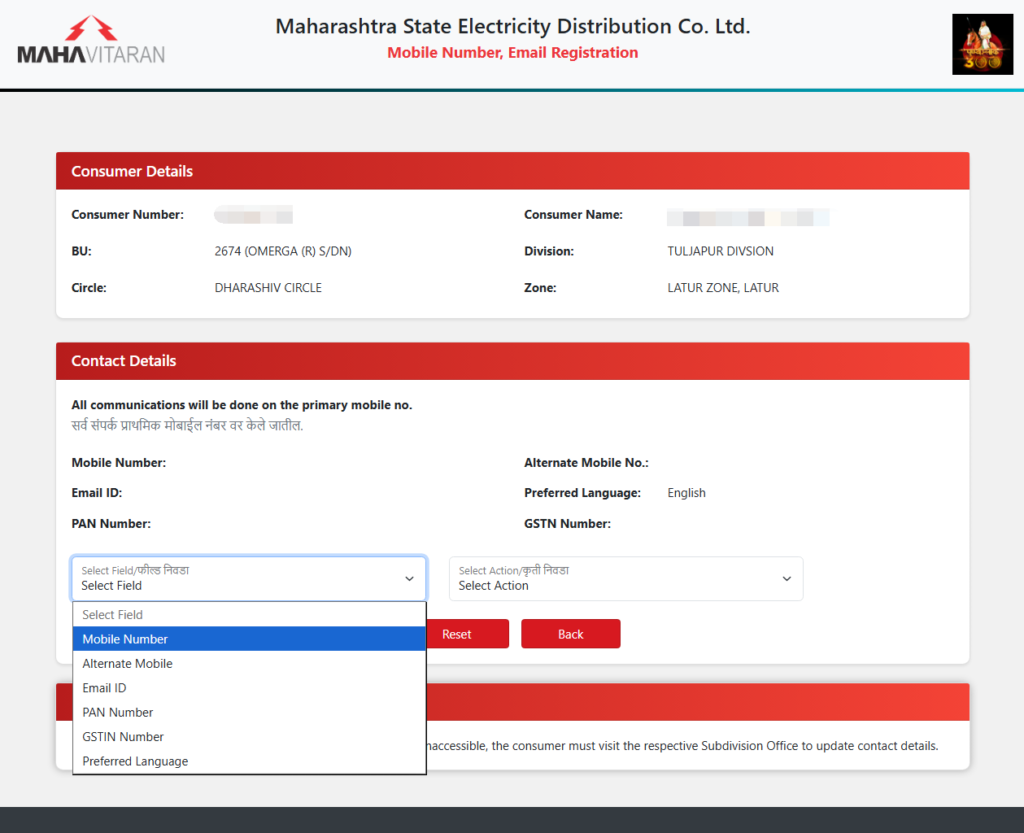
step 3 :- your current details will be displayed. and choose Mobile number from select field dropdown menu.
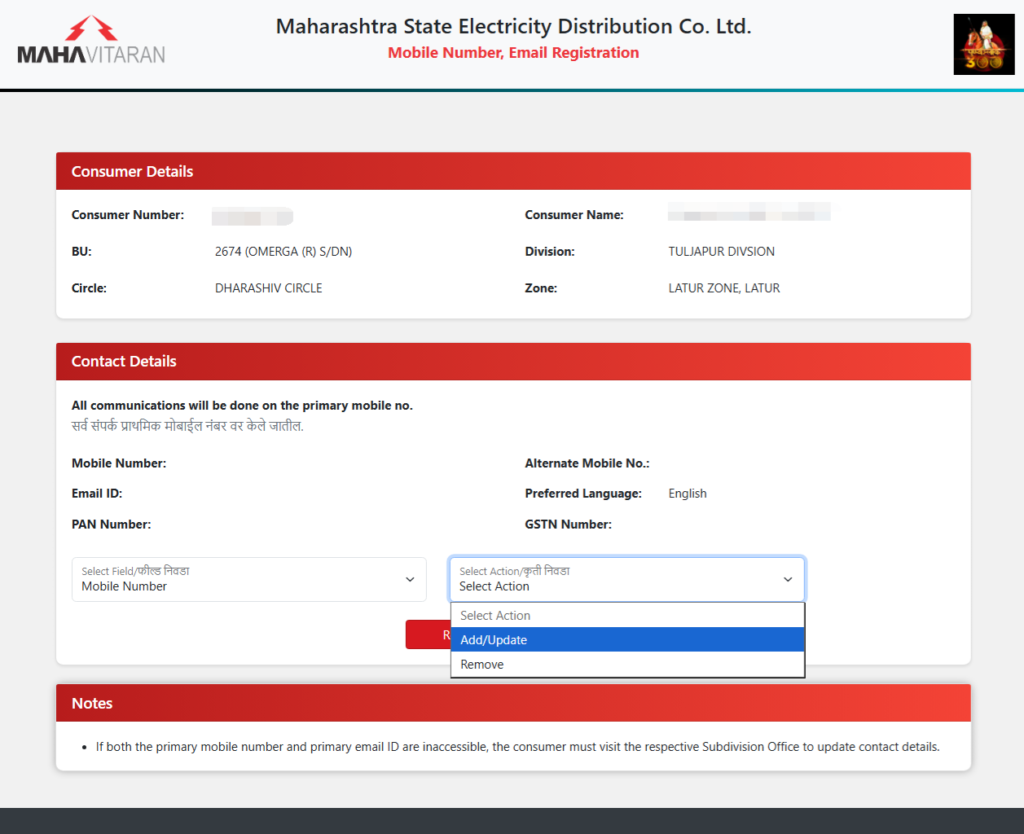
step 4 :- select add/update from select action menu
step 5 :- enter your new mobile number and click send OTP
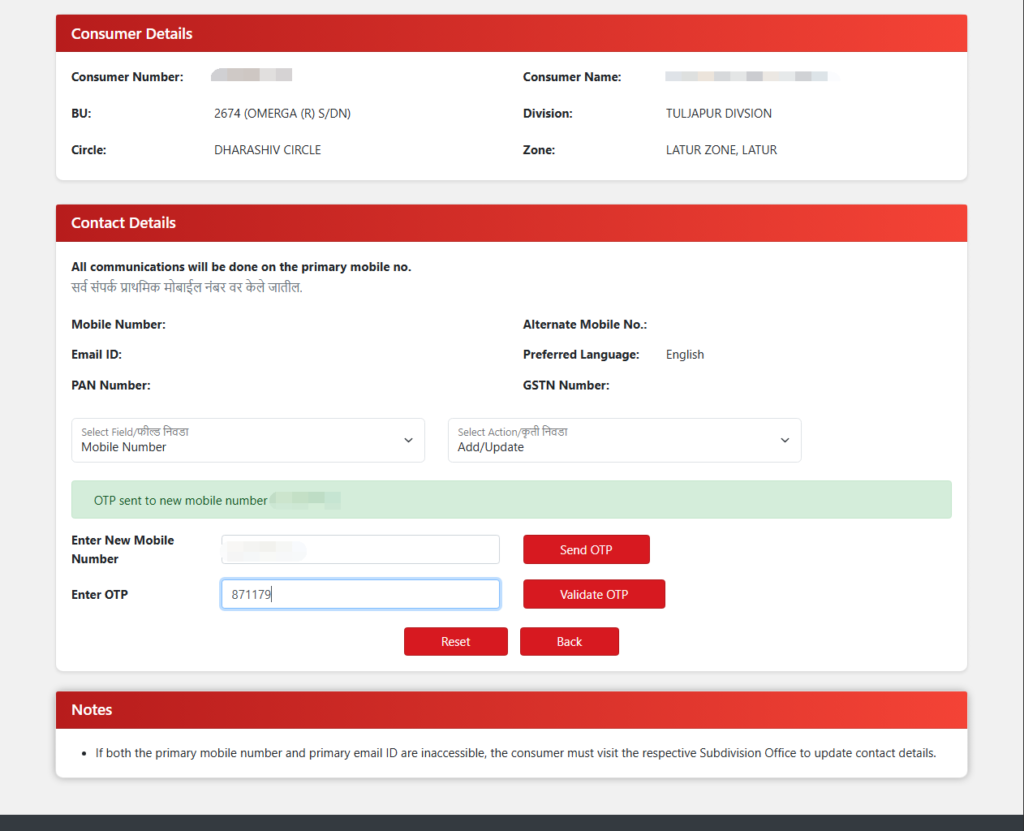
step 6 :- enter OTP click validate OTP
your new mobile number updated successfully and you will receive SMS after linking new mobile number.
also you can calculate Electricity Bill . By entering your appliances and daily usage times, you can quickly estimate your bill and identify the specific “energy guzzlers” in your home or office that are driving up costs. click here