
To an Cancel Auto debit Mandate in your PhonePe account. you can manage your all subscriptions easily in PhonPe app.
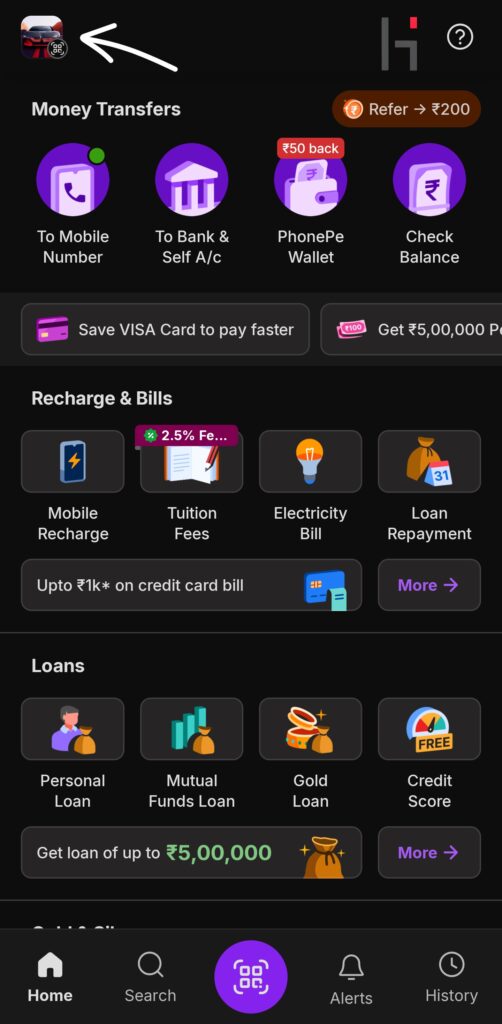
Step 1 :- Open PhonePe app on your phone
step 2 :- Tap on your profile icon
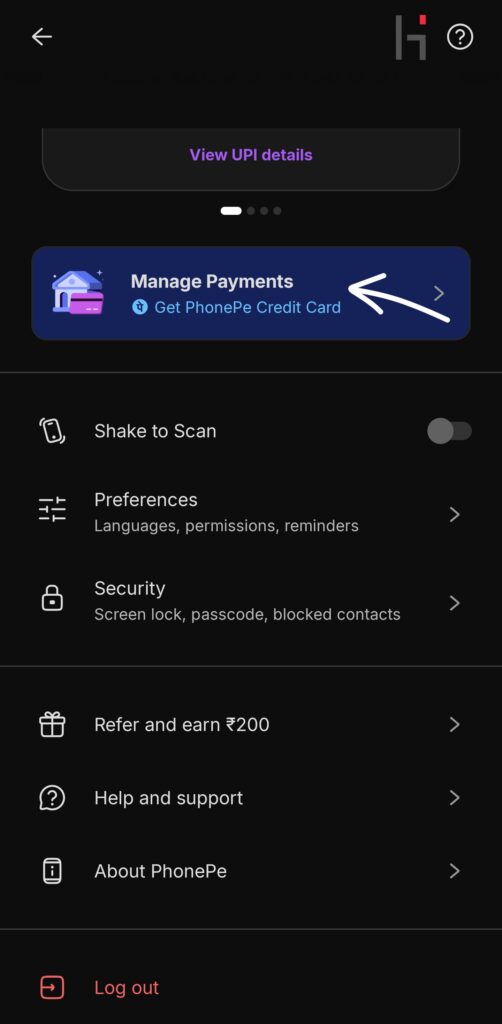
step 3 :- scroll down to the payment management
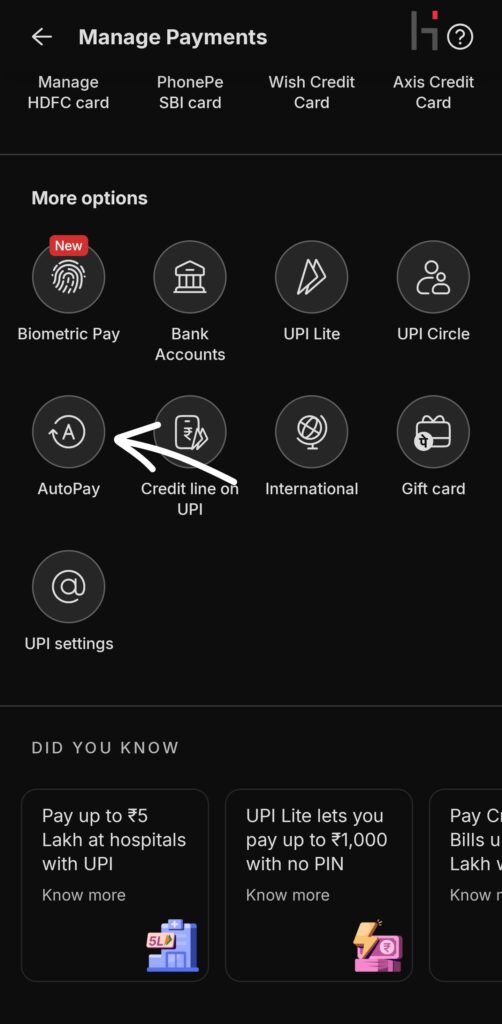
step 4 :- scroll down to the more options
step 5 :- click autoPay
step 6 :- under active tab tap on the subscription you want to cancel or stop

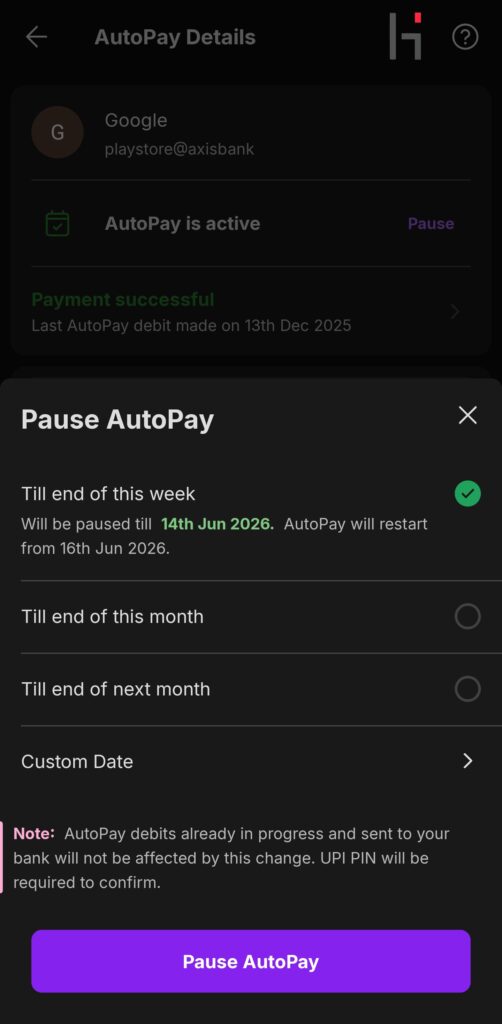
step 7 :- now you can pause or Delete subscription for pause click pause and choose your duration or date week month or custom date. for pause Subscription
Step 8 :- for Delete or cancel autoPay subscription. click delete autoPay button at the bottom of the screen
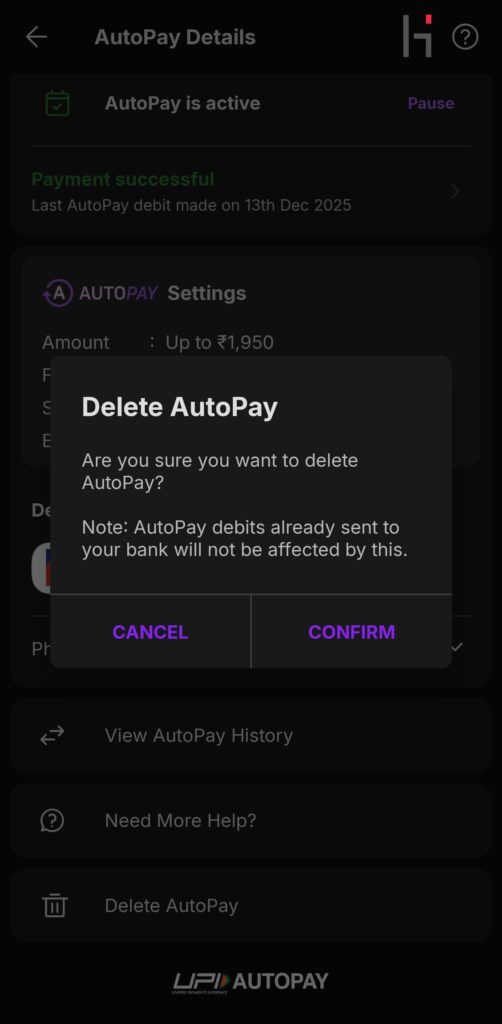
step 9 :- click confirm and enter your UPI PIN
your autoPay has been deleted